
Keep the tools you already use. Keep your coaching in one place.
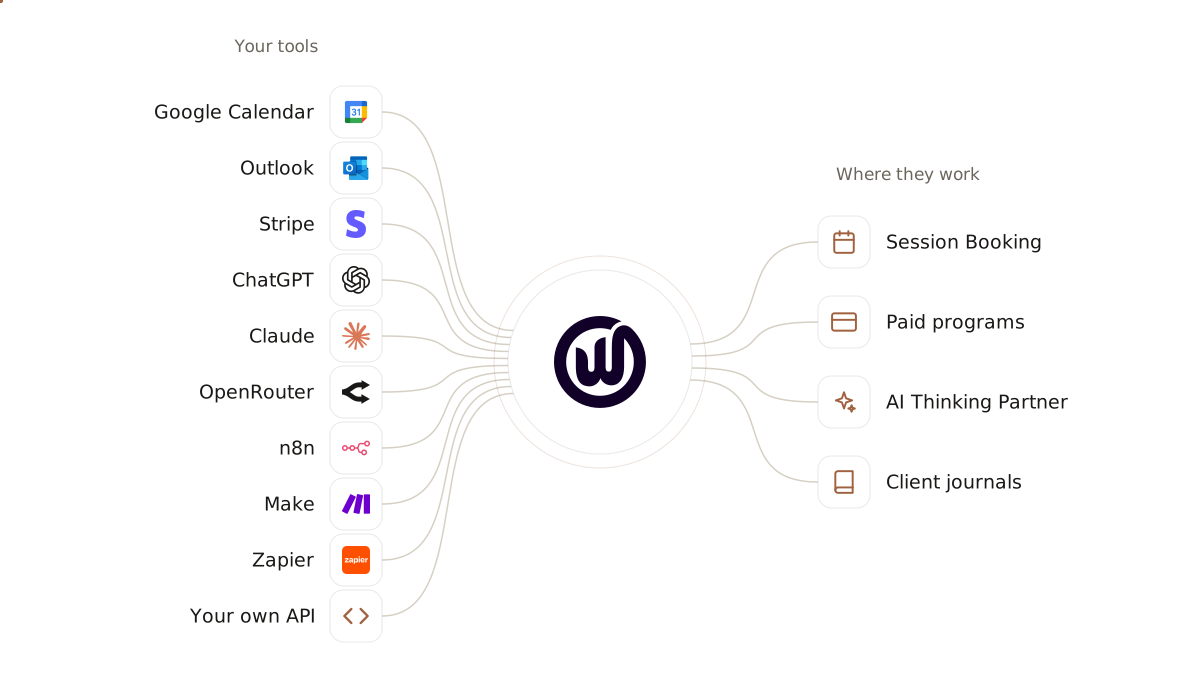
Your coaching platform shouldn't be one more thing to keep in sync.
Most coaches run their practice on a handful of tools: a calendar, a Stripe account, an AI they've come to trust, perhaps an automation or two. Add a coaching platform that doesn't talk to any of them, and you become the link — copying times across, chasing payments, pasting answers from one place to the next.
Coaching Workspace connects to the tools you already use. Clients only see times your Google or Outlook calendar shows you're free. Stripe takes payment for your programs, into your own account. ChatGPT, Claude or a model from OpenRouter powers the AI, on your own key. And n8n, Make, Zapier or your own AI agent can put the right question in a client's journal.
Think of your workspace as the place your tools meet your clients — every one of them plugged in, none of them replaced.
What you can connect — and what each one does.
Ten connections today, and one on the way. Here's what each one does for you and your clients.
Calendars

Google Calendar
Outlook
Payments
Stripe
AI
ChatGPT
Claude
OpenRouter
Automation
n8n
Make
Zapier
Any app with an API
Webhooks
See how integrations fit your coaching practice.
Book a walkthrough and we'll show you how your calendar, Stripe and AI connect, and what a client sees when your automation sends them a question. If you work with a developer, we'll send them the API reference.